Voice-to-text
 Wispr Flow
 superwhisper
Meeting notes
 Granola
 Fathom
 Otter.ai
 Fireflies.ai
A desktop app that does two jobs at once: it records and transcribes your meetings, and it turns your voice into text anywhere you'd otherwise type. Everything it captures lands as a clean, speaker-attributed note in your Calyx workspace — tagged to the right project and ready for your agents to act on.
Wispr Flow
superwhisper
Granola
Fathom
Otter.ai
Fireflies.ai
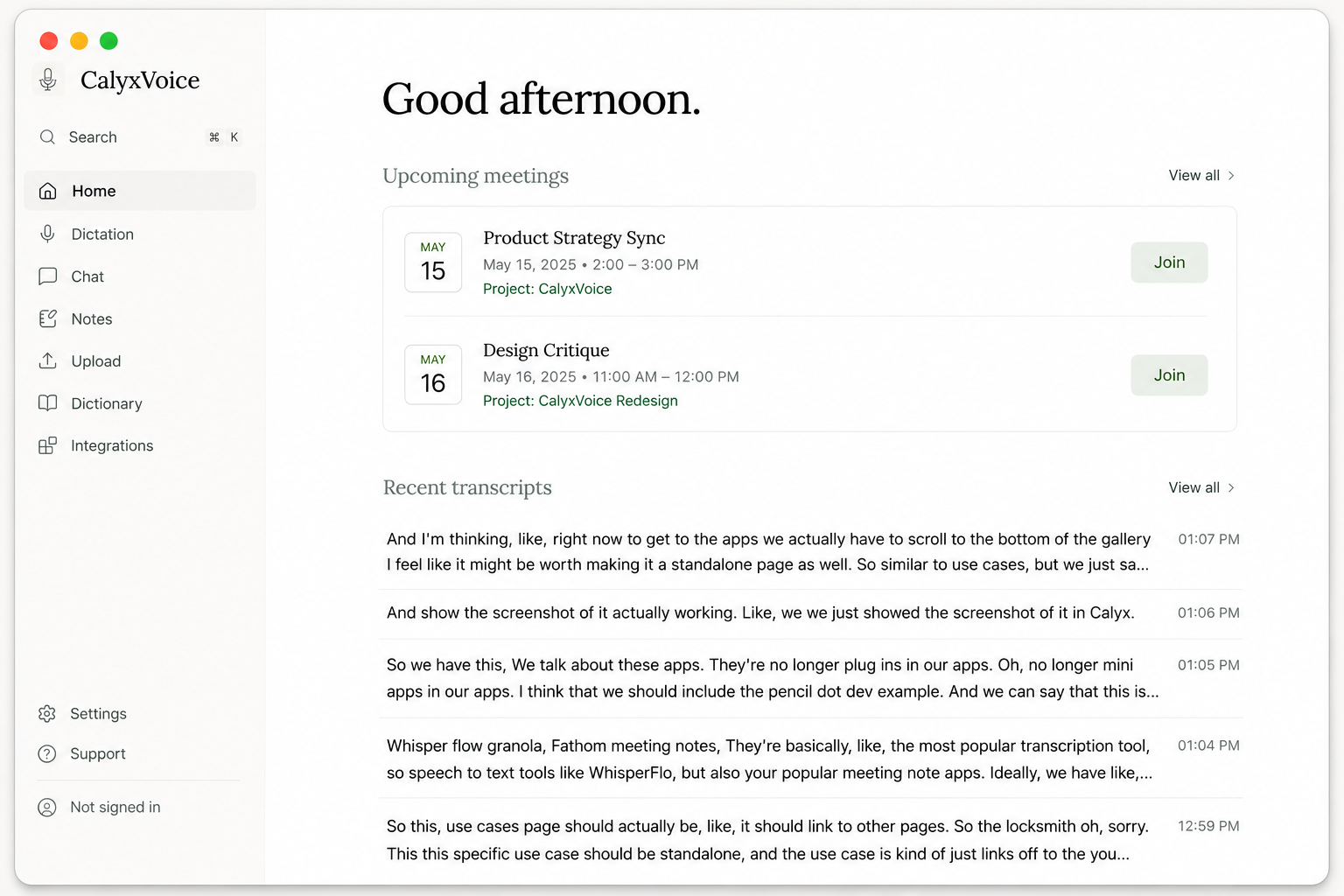
Open CalyxVoice and your day is laid out: upcoming calls — each already tied to a project in your vault — above a running feed of recent transcripts and dictations. One desktop app standing in for both your meeting recorder and your voice-to-text tool.
Join a call and it transcribes live. Tap the dictation hotkey and your words land wherever your cursor is. It all becomes searchable notes in the same place.
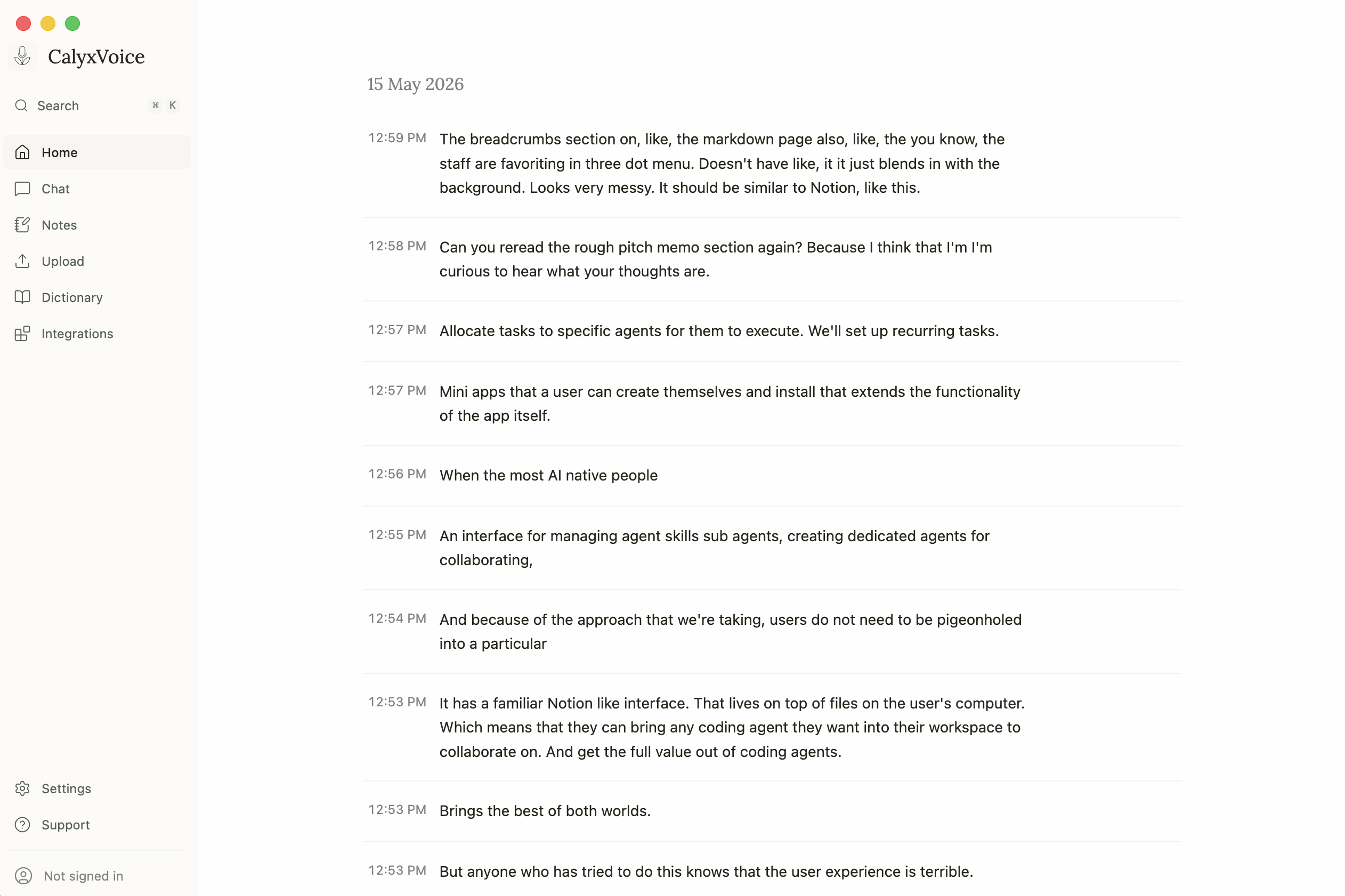
CalyxVoice detects when you're on a call — Zoom, Teams, Webex, FaceTime, or any unscheduled conversation — and a live transcript streams in line by line, timestamped, as people speak. Nothing to set up before the meeting; it's already there.
The same engine powers global voice dictation: hold a hotkey, talk, and your words land at the cursor in whatever app you're in. One tool for everything you'd otherwise type.
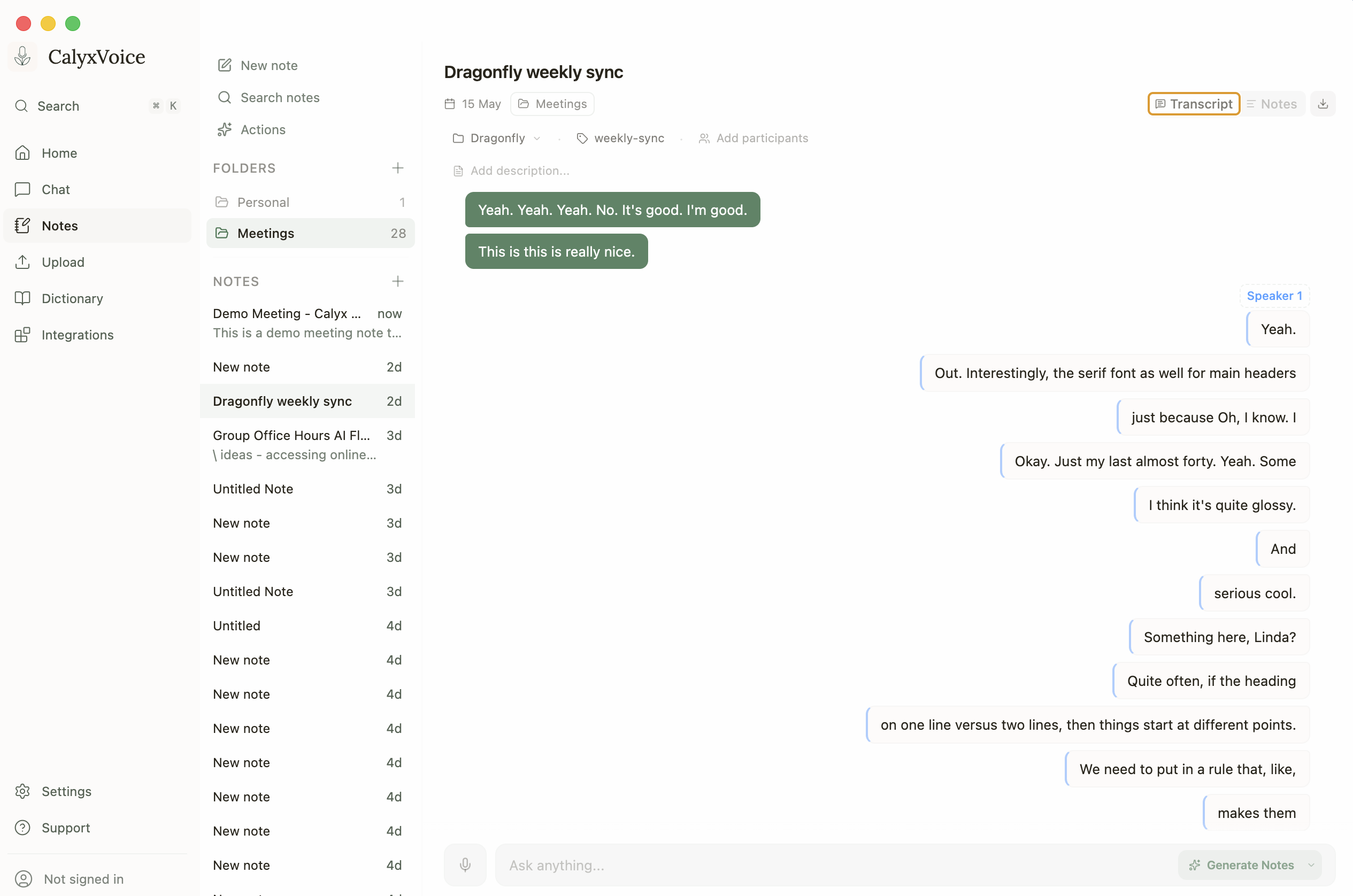
When the call ends, you keep a real note — not a wall of text. Speakers are separated on-device with voice fingerprints that persist across meetings, so "Speaker 1" becomes a recognizable voice over time. Highlight the lines that matter, tag the meeting to a project, and ask the built-in AI to generate a summary or action items.
Notes live in folders alongside your personal writing, with full-text and semantic search across everything you've ever recorded.
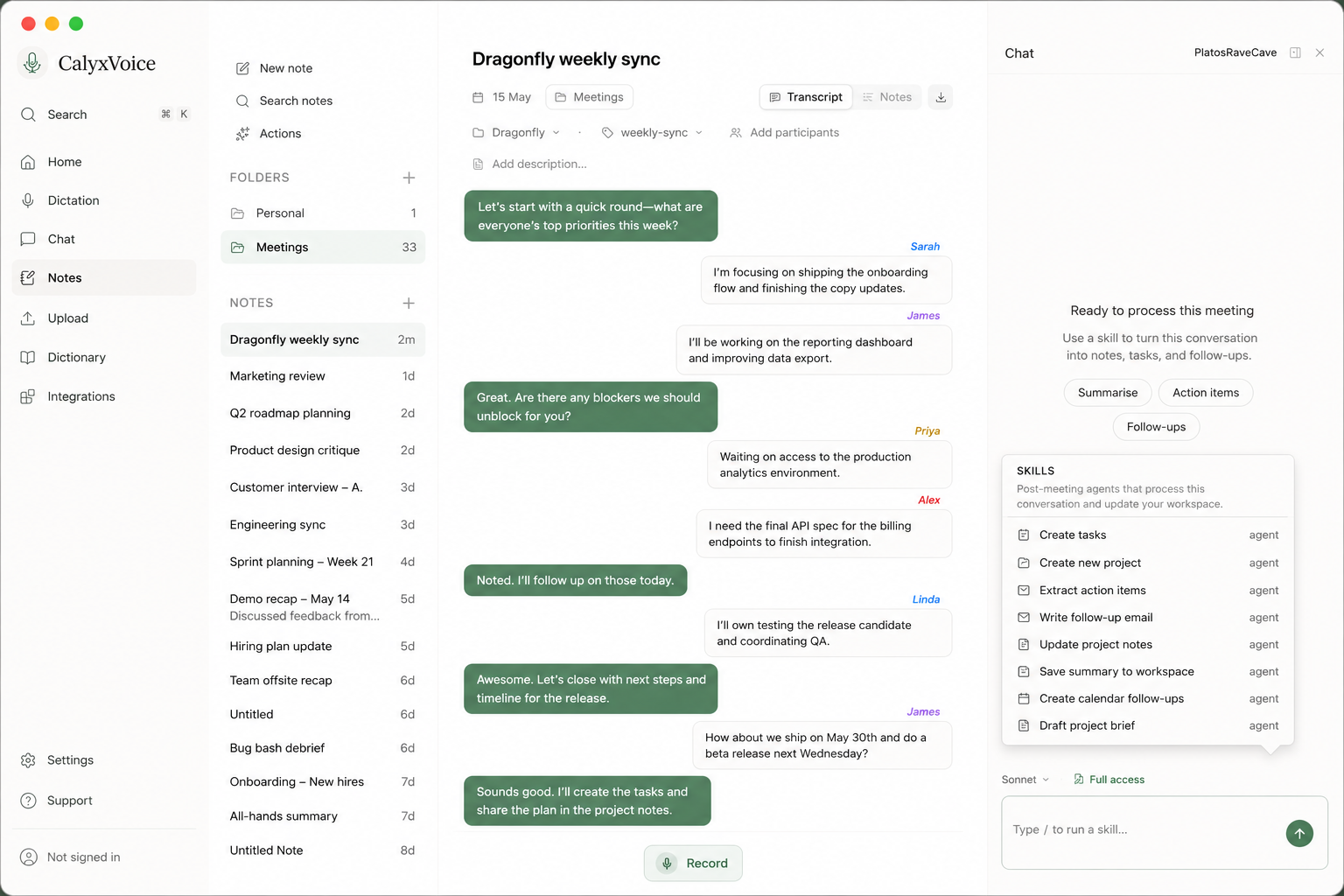
Open the chat beside any transcript and you're talking to your own Claude Code agent, pointed at your vault. Run a skill — Create tasks, Extract action items, Write the follow-up email, Update project notes, Draft a project brief — and it acts directly in your workspace, not in a silo you'll never revisit.
So the call where someone says "I need the final API spec to finish the billing integration" doesn't just get transcribed. In Full Access mode the agent writes that task into your vault, files it under the right project, and links it back to the meeting it came from.
Plenty of apps record meetings. What makes CalyxVoice different is that it's wired into your vault — so a transcript doesn't die in a separate app. It becomes a note tagged to the right project, and then it becomes work.
Meetings and dictation are transcribed on your machine — your audio never has to leave the device.
Every transcript is saved as a markdown note in your Calyx vault, tagged to a project and the people involved. Projects and tags autocomplete straight from your vault, so nothing lives in isolation.
Connect your Claude Code agent and put it to work on the transcript — draft the follow-up, and turn every "we should…" into real tasks written into your vault, each linked back to the meeting it came from and ready for your Calyx agents to pick up.
A full workspace for everything you say, not just a recorder.
Local Whisper and Parakeet models run entirely offline, in 25+ languages — or connect a cloud provider when you want it. Your call, literally.
On-device voice embeddings separate speakers and remember them across meetings. No cloud diarization service required.
Speak to a named assistant mid-flow to clean up, rewrite, or act on what you said. Bring your own key — Claude, GPT, Gemini, or a local model.
Drag in an old recording — MP3, WAV, M4A and more — and it's transcribed into a searchable note like everything else.
Teach it your product names, people, and jargon so the words you actually use come out right.
Link your Claude Code agent and run it on any transcript — right from the meeting note — to draft follow-ups or write tasks into your vault. Plus Google Calendar, a REST API, and an MCP server.