Daily workflow

Dashboard, task management, and planning tools. See what's due, filter by project or priority, drag tasks across kanban columns. Everything syncs to markdown files on disk.

Dashboard

Your daily command center.

Open Calyx and land here. See tasks due today, recent files you've touched, and quick actions to create new content. The sidebar shows your entire vault — folders, projects, agents, custom content types. Everything opens in tabs in the main panel, so you can have multiple files open at once.
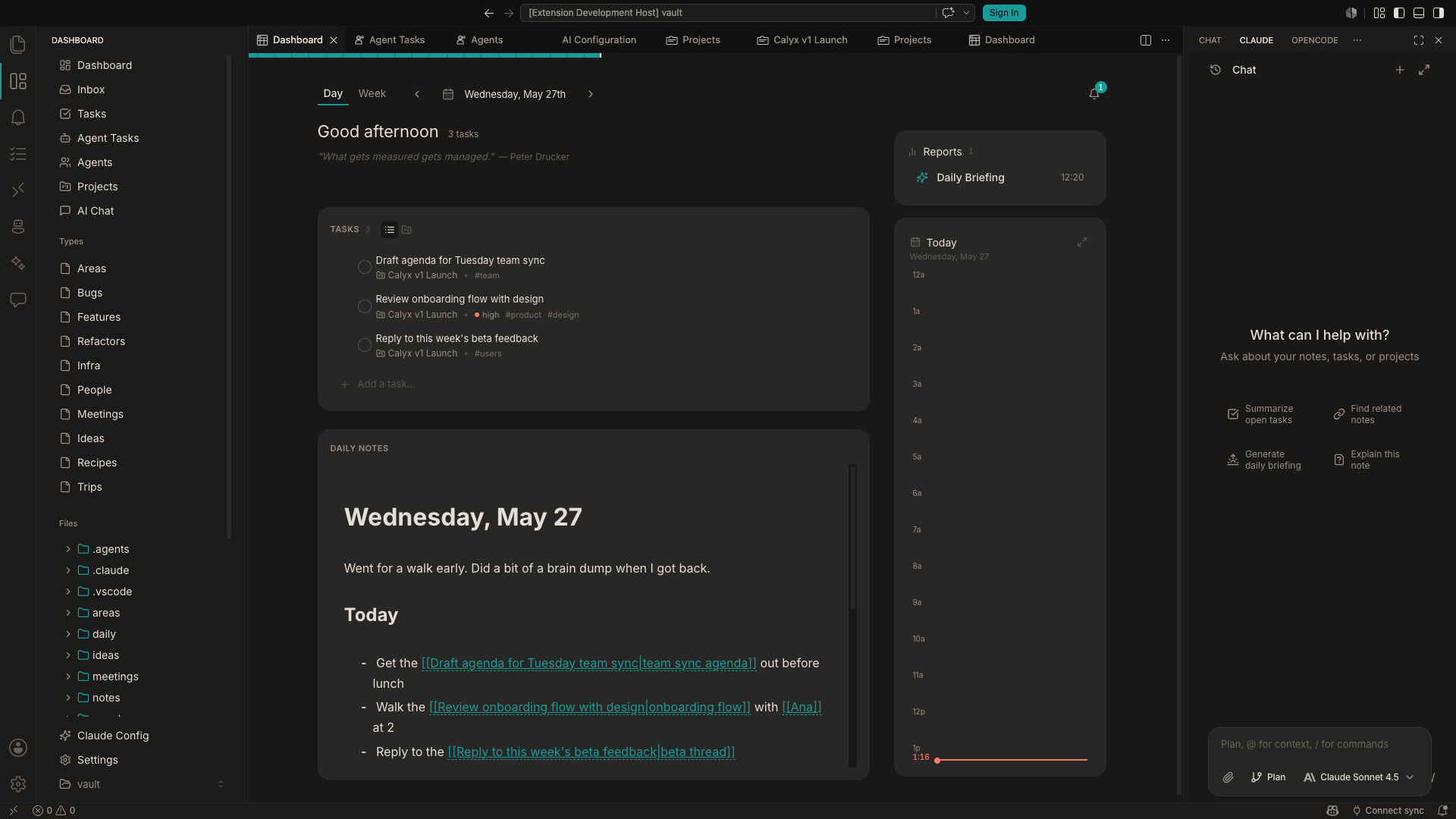
Calyx dashboard showing daily view with tasks, greeting, and sidebar navigation
Task List

All your tasks, filterable.

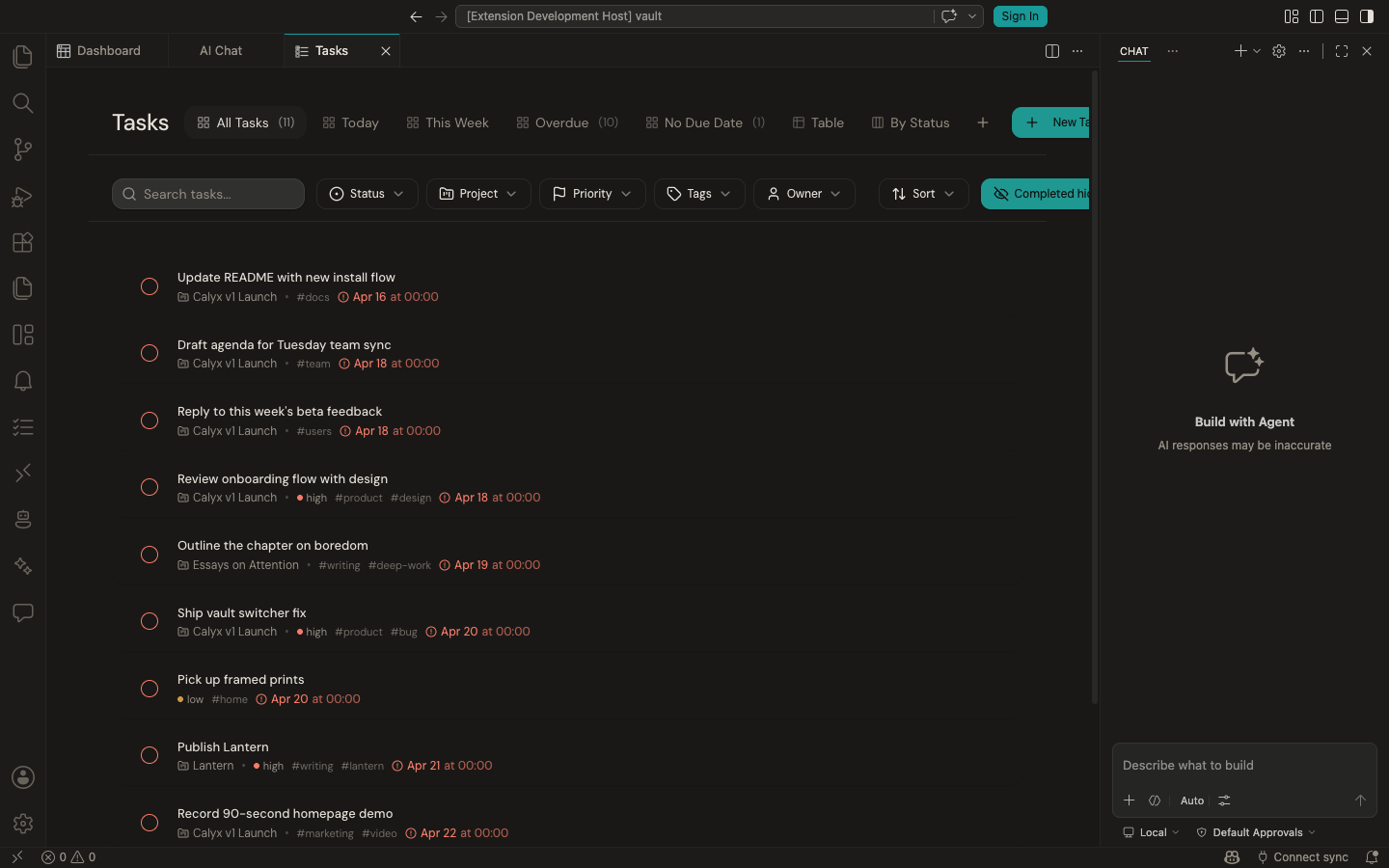
See every task in your vault. Filter by status (todo, in progress, done), project, priority, tags, or due date. Save filter combinations as named views. Click any task to open it and see the full markdown file.

Tasks list view with filters for status, project, priority, and tags
Kanban Board

Same tasks, visual layout.

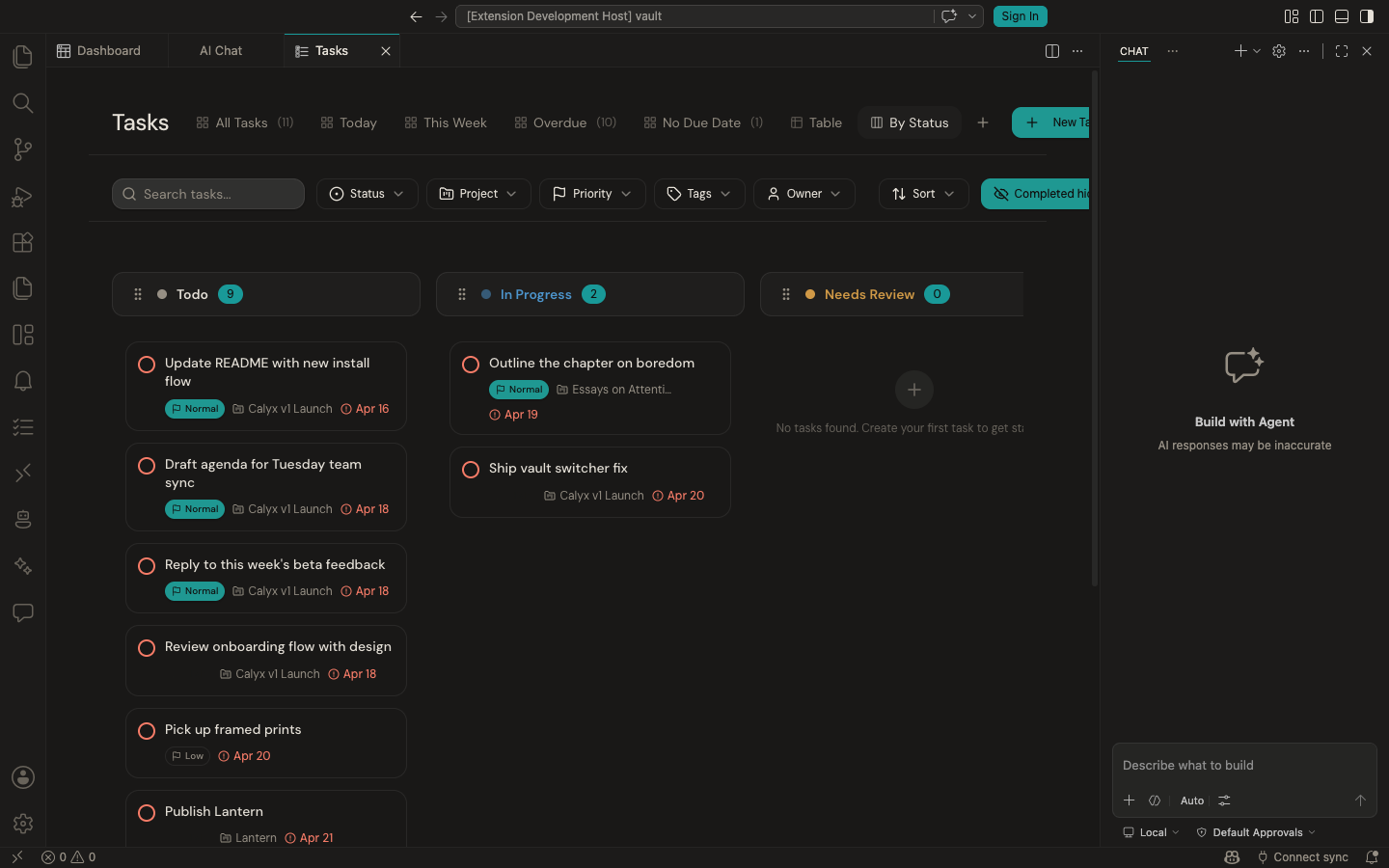
Switch to kanban view to see tasks grouped by status. Drag cards between columns to update status — the underlying markdown file updates automatically. Add custom columns like "Blocked" or "Waiting for review".

Kanban board with Todo, In Progress, and Needs Review columns

Agent management

Create custom AI agents, manage reusable skills, configure Claude's persistent instructions. Agents are markdown files with persona and behavior definitions. Skills are prompt templates with triggers.

Agents

Create agents to collaborate with.

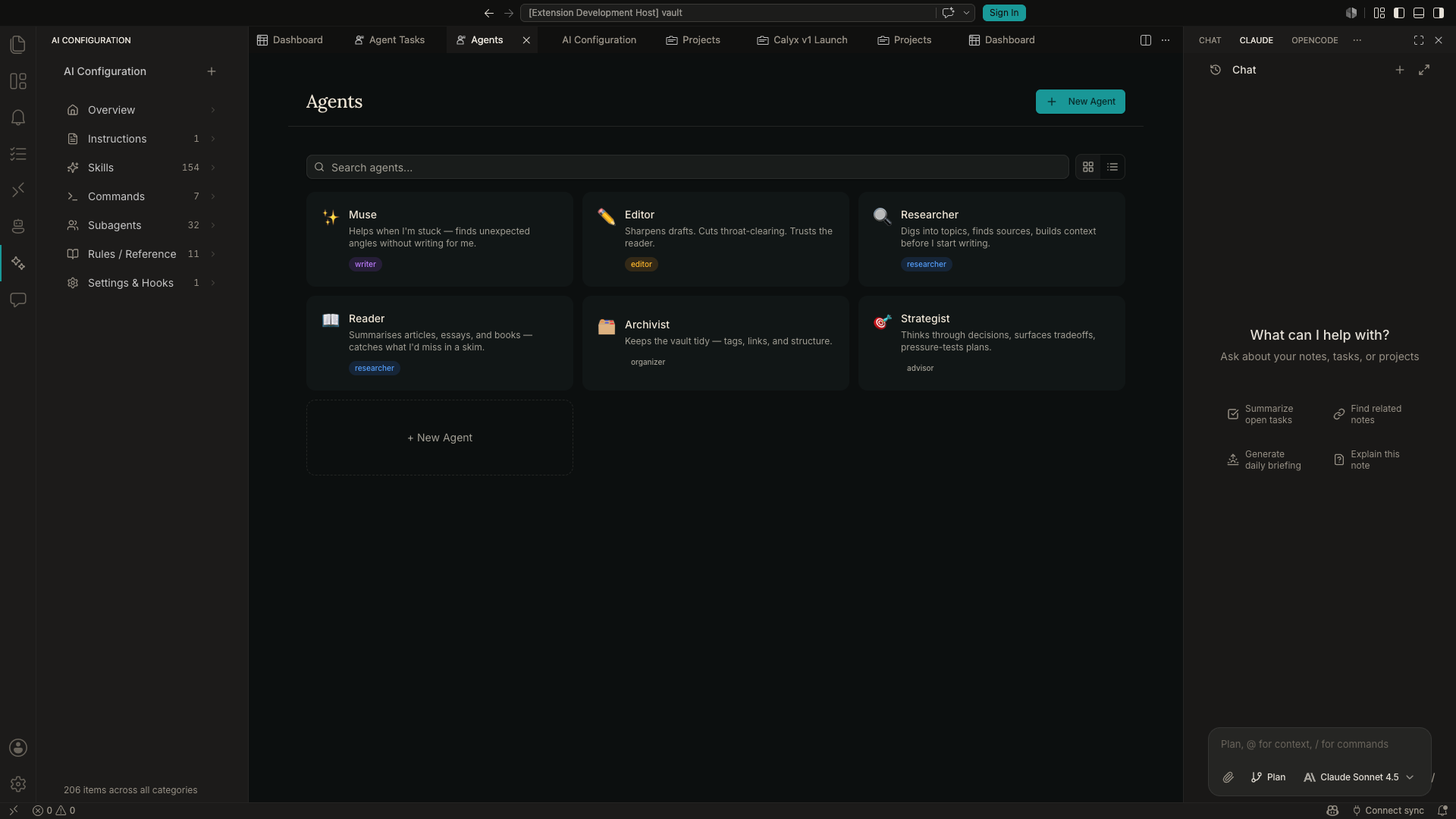
Define agents with their own persona, instructions, and model preferences. Bring your own API keys — Claude, OpenAI, Gemini, local models via Ollama. Route fast tasks to cheaper models, complex reasoning to frontier ones. Agents are markdown files you can version, share, or fork from others.

Agents page showing six custom agents with emojis, descriptions, and role tags
AI Configuration

Control how AI understands your workspace.

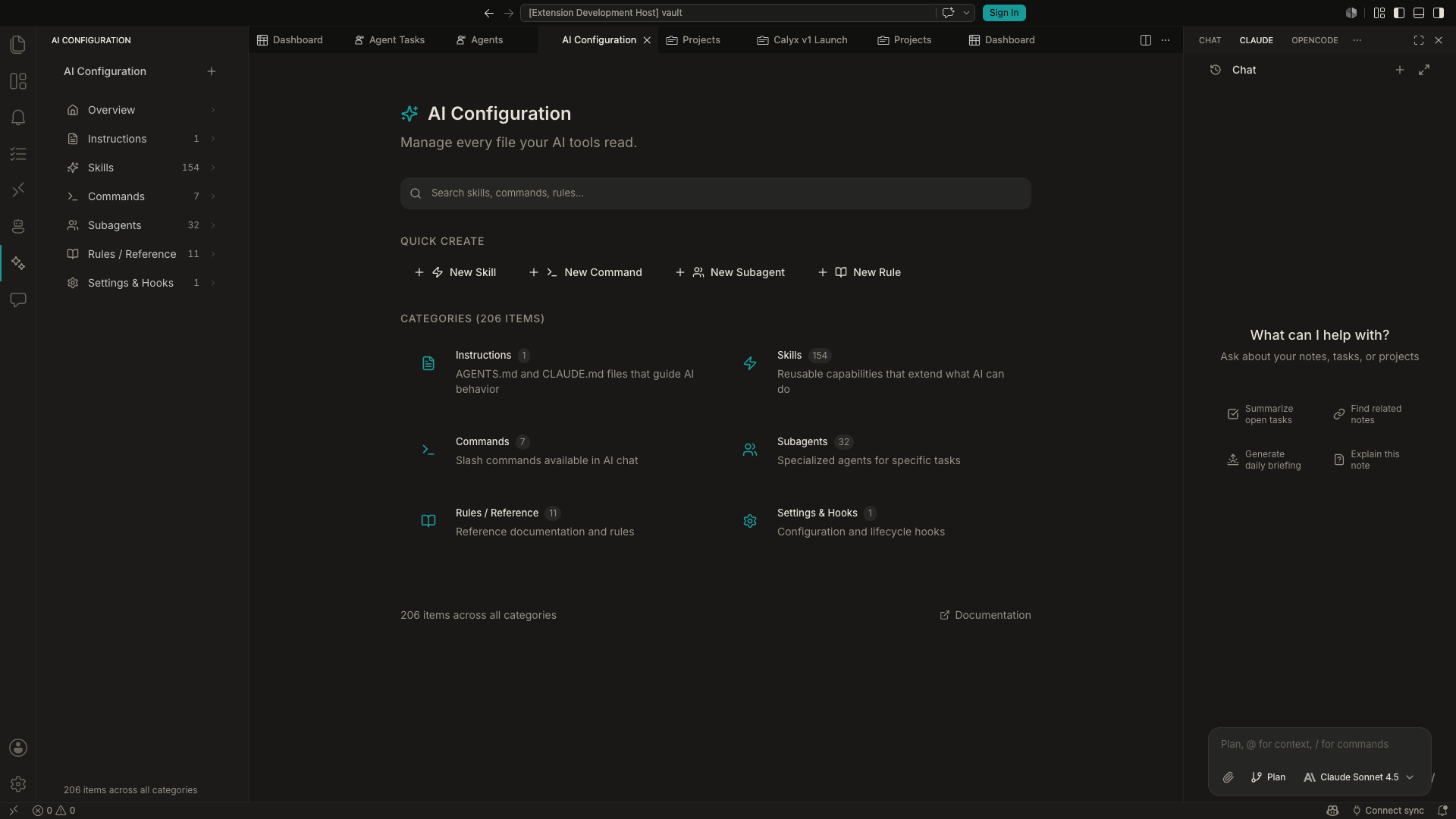
CLAUDE.md is a file that gives Claude persistent context — your projects, preferences, how you like things done. Skills are reusable prompt templates you can trigger with slash commands (like /weekly-review or /draft-feedback). This panel shows everything in one place: instructions, skills, and which sub-agents are available.

AI Configuration panel showing CLAUDE.md instructions and custom skills
Agent Tasks

Assign tasks to agents and review their work.

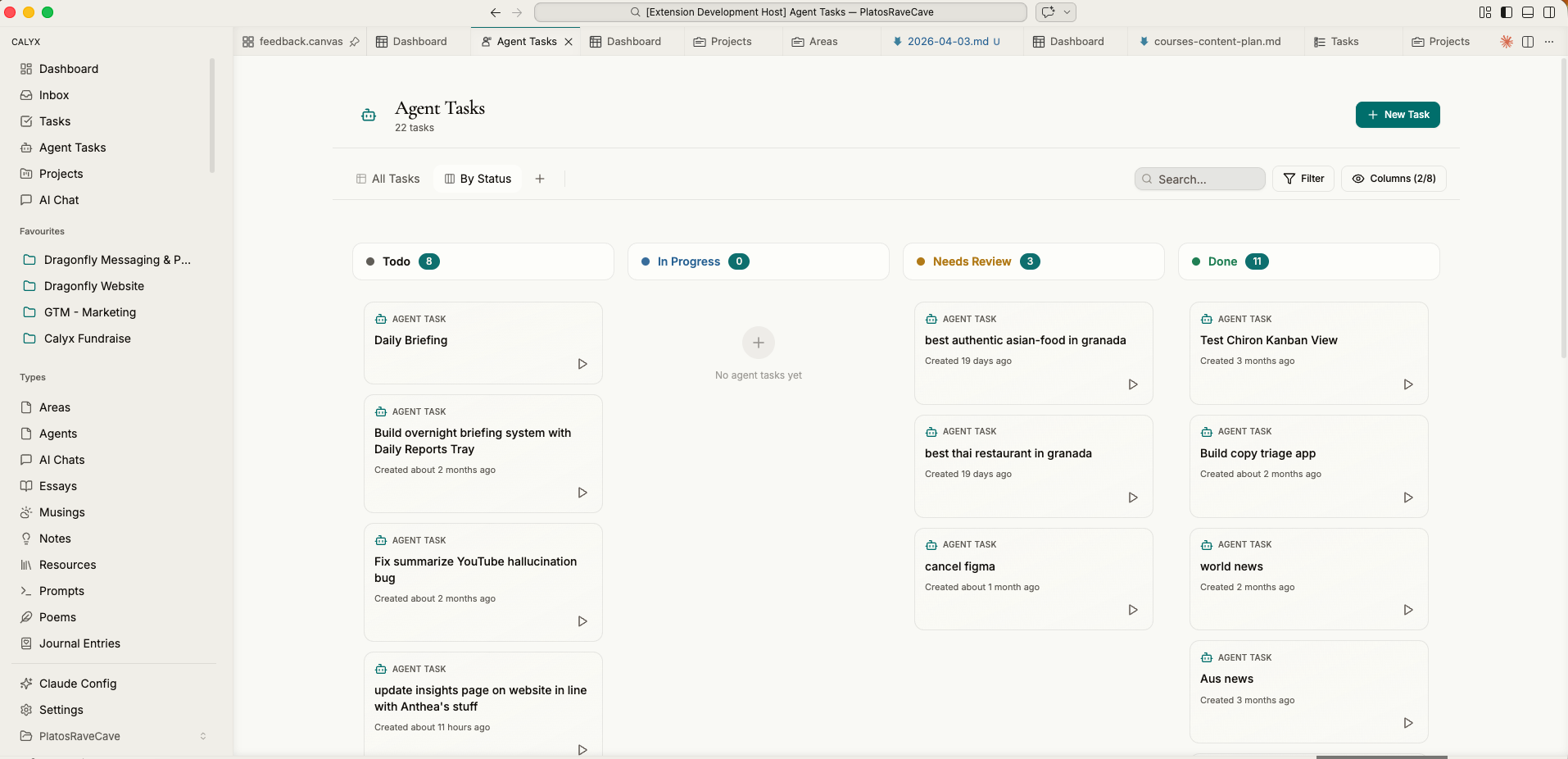
When you assign a task to an agent, it shows up here. The agent works through it autonomously — researching, drafting, whatever the task requires. When it's done, the task moves to "Needs Review". You read the output, approve it, or send it back with notes. Same kanban interface as your own tasks.

Agent tasks kanban board showing AI-assigned work moving through columns

Knowledge organization

Projects, custom content types, and a rich markdown editor. Define your own schemas with YAML frontmatter. Create data views that filter and display any content type. Files are plain markdown — no lock-in.

Projects

Group related work together.

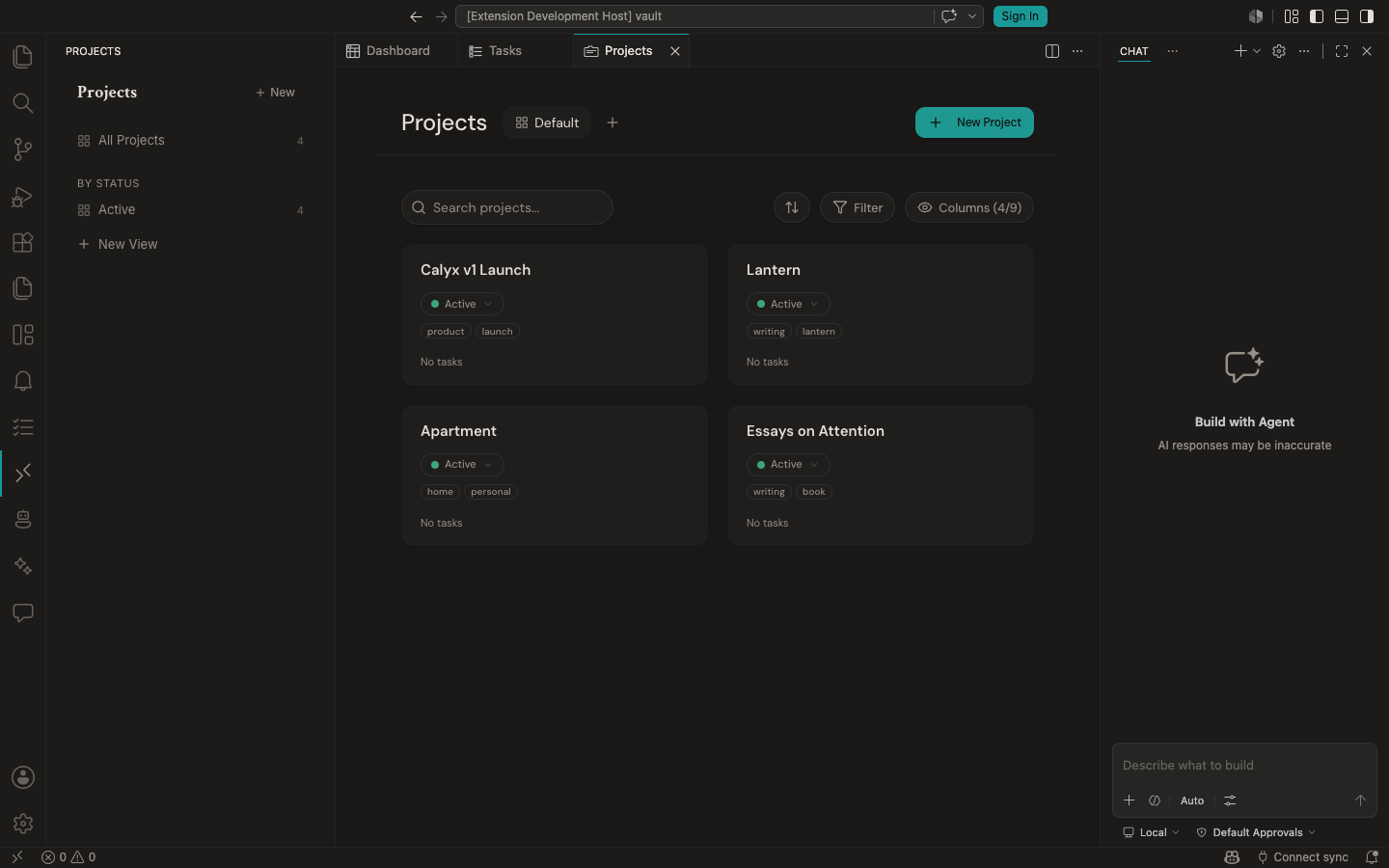
A project is a markdown file with metadata: status, area, tags, start date, overview. The cards view shows all projects at a glance. Click into one to see its tasks, notes, and files. Link tasks to projects using frontmatter — they'll show up in the project's task list automatically.

Projects view showing four project cards with status, tags, and overview
Data Views

Create any content type you need.

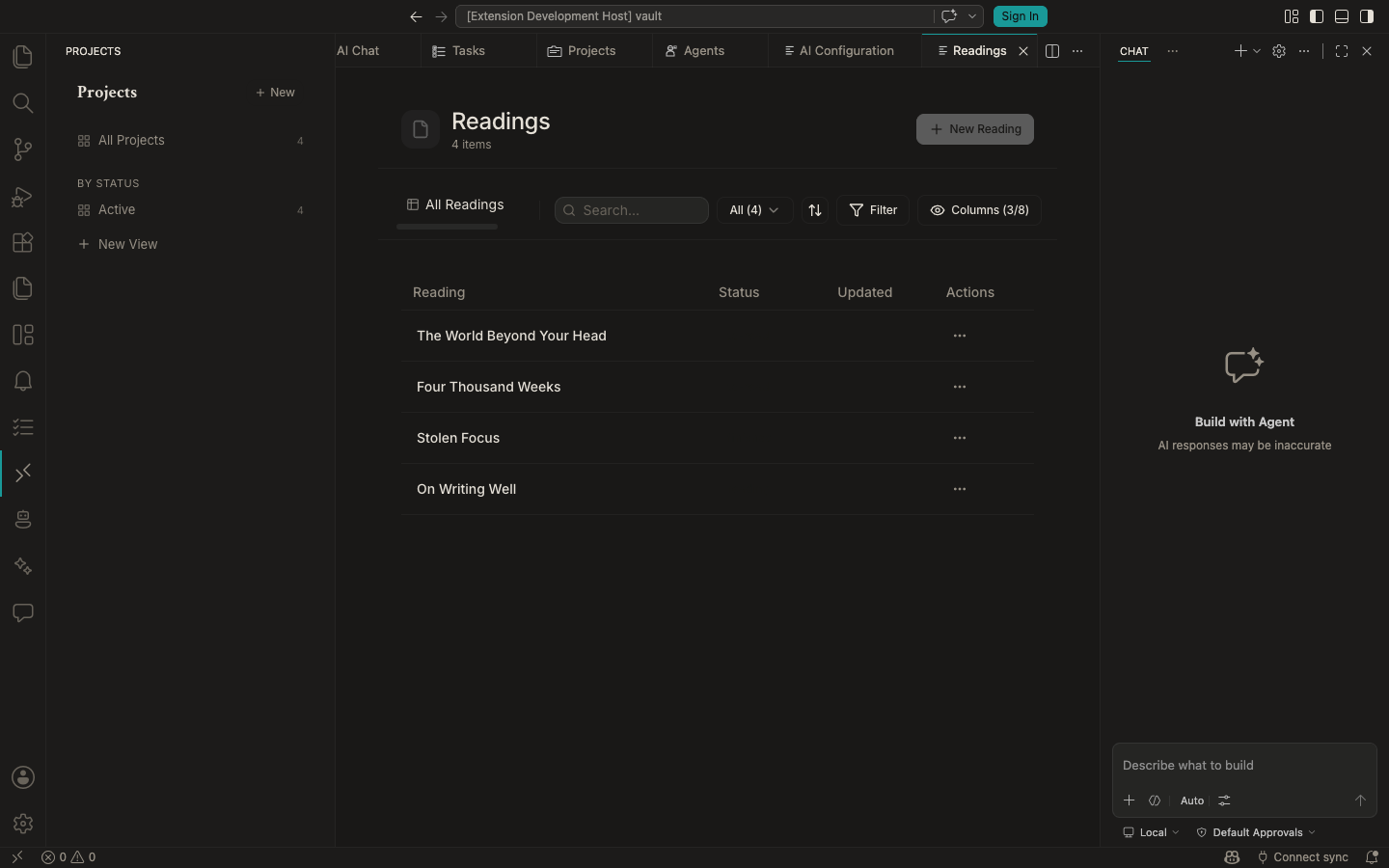
Not just tasks and projects — define your own types. Readings, contacts, recipes, research papers, whatever. Add fields in YAML frontmatter, create a .view file to display them as a table or cards. Filter, sort, group by any field. Your schema, your views.

Readings data view showing books with status and metadata columns
Writing

Write in markdown, link everything.

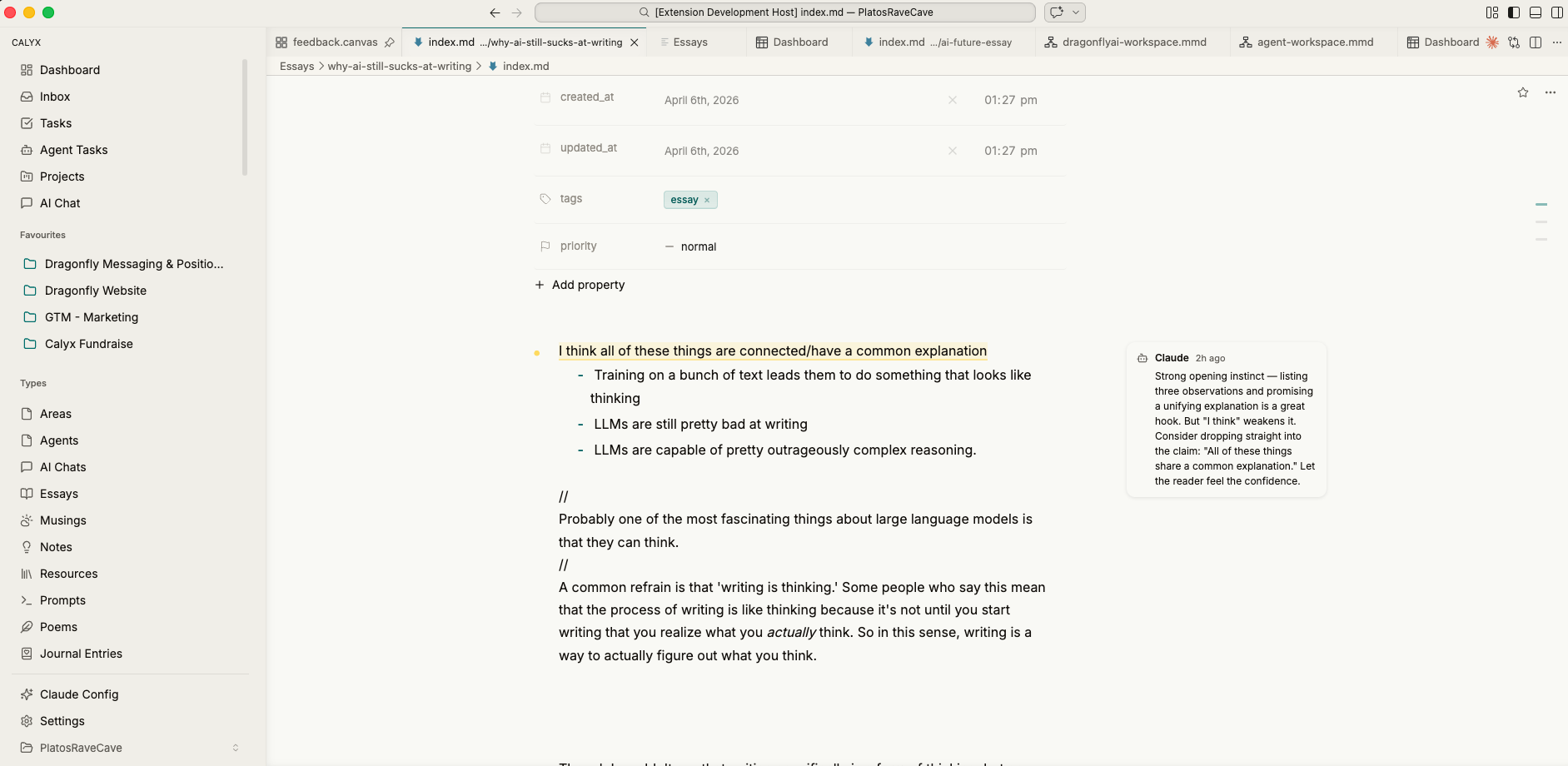
The editor supports full markdown with [[wikilinks]] to connect notes, block references to embed content, and inline formatting. Files stay as plain .md on disk — no proprietary format, no database. Agents can read and edit these files directly, which means your writing becomes context for AI without any export step.

Rich text editor with markdown, wikilinks, and inline formatting

AI integration

Chat interface with full vault context. Reference files with @mentions, run skills with slash commands, use quick actions for common tasks. Supports Claude (Anthropic) with bring-your-own-key.

AI Chat

Talk to AI that knows your work.

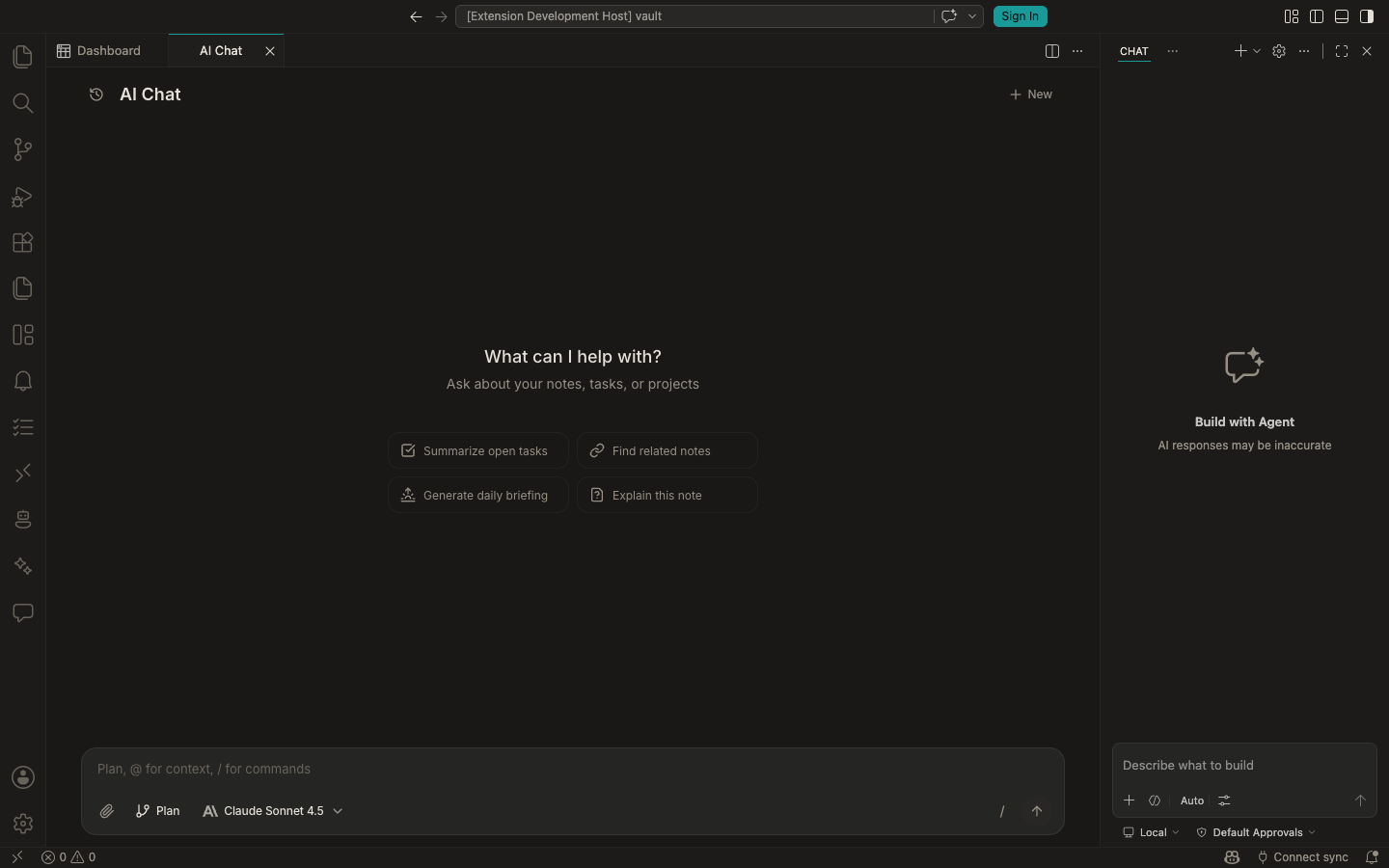
The chat panel has full context of your vault — every file, task, project, and agent. Ask questions ("what did I write about X?"), run skills with slash commands (/weekly-review), or use @ to pull specific files into the conversation. Quick action buttons trigger common operations like "Summarize open tasks". You bring your own Anthropic API key.

AI Chat interface with prompt suggestions for summarizing tasks, finding notes, and generating briefings

And it's a platform

Calyx isn't one app — it's a place other apps run. Anyone can build an app that runs inside the workspace and publish it to the marketplace (third-party ones like Pencil run there too), while companion apps reach in from outside. See all apps →

Real output

Presentations, reports, interactive experiences — generated by AI agents inside Calyx. These aren't mockups. They're actual artifacts created using the tools above.

12 slides
Presentation

Investor pitch deck

A full animated slide deck with data visualizations — generated from voice memos and notes.

View deck →