For domain experts who shouldn't have to learn to code
The most capable people I know don't want to automate themselves out of the loop. They want to get their hands dirty and co-create with agents — to shape the output and stay in control. But today the only real tools for building agentic workflows are code editors, which leaves the people with the deepest expertise locked out.
The expertise is the bottleneck
At Dragonfly Thinking I worked with our Chair, Sue Brake — ex-CIO of the Future Fund — to build multi-agent investment workflows. I'm a capable builder, but I completely lacked her decades of expertise. The workflow needed her to build it, not me. And the only tool available to do that was a code editor.
Sue made it happen because she's tenacious and doesn't get put off easily. Most domain experts aren't, and won't. The lesson was blunt: for people to truly get the most out of these tools, they need new interfaces built for how they actually work.
A familiar interface on top of real power
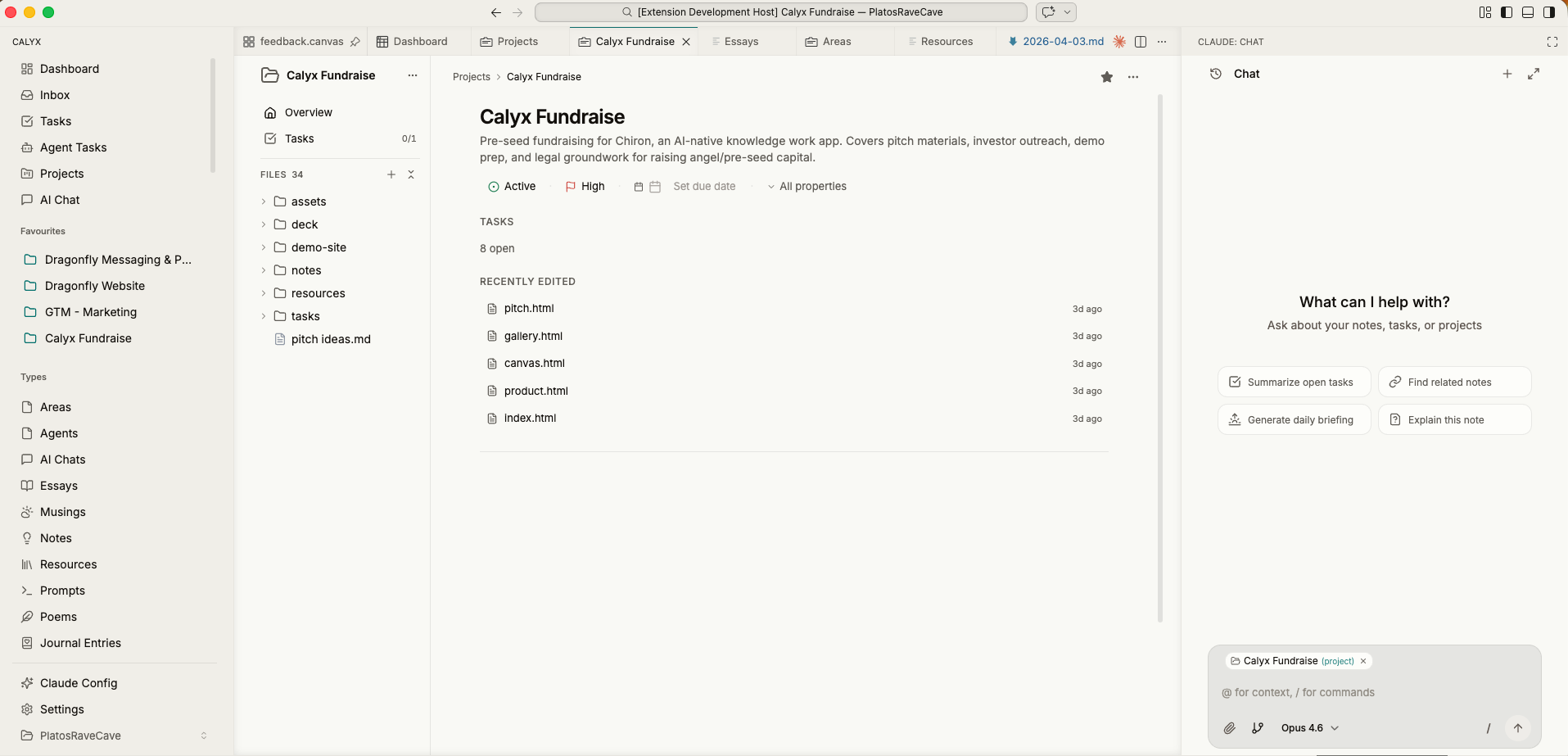
Calyx looks like a modern, approachable workspace — the Notion-like surface that a non-developer already knows how to use. Underneath, it's a full IDE with a real execution environment and the coding agent of your choice. So an expert can shape an agentic workflow, build a small tool, or run a research pipeline without ever living in a terminal.
It's the power of a code editor, without the code editor in your face.
Augmentation, not automation
Put an agent right next to the expert — one with full context of their projects, their documents, and their domain — and let them stay in the loop, shape the output, and keep control. They keep the judgment that only they have. The agent does the rest.
Set up an operating system once, reuse it across clients
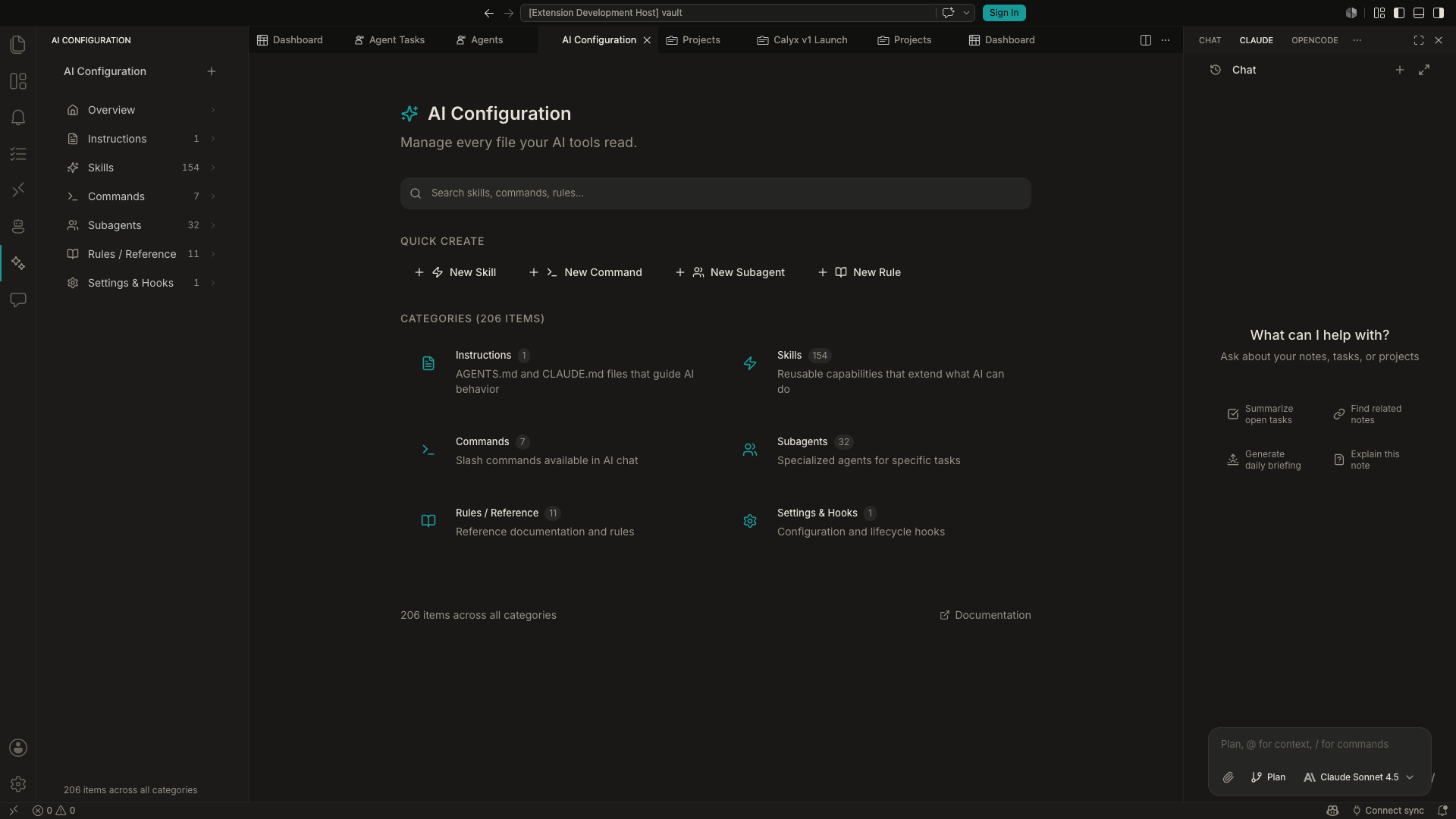
This is work I've actually done — building "operating systems" for teams, on a consulting basis. In Calyx, the skills, agents, and workflows you build for one engagement are just files. Package them up, hand them over, or carry the pattern to the next client. The setup compounds instead of evaporating the moment a project ends.
And because client work means sensitive data, everything stays on your terms: local-first, BYO keys and agents, and the option to point Calyx at a private server. Nothing hides in someone else's database.
Build without code
A familiar interface on top of a real IDE. Shape agentic workflows and tools without living in a terminal.
Full context, in the loop
The agent sees your projects, docs, and domain knowledge, and you stay in control of the output the whole way through.
Reusable agent skills
Skills, agents, and workflows are just files. Build an operating system once and carry it from client to client.
Local-first & private
Sensitive client work stays on your terms — local-first, BYO keys, and the option to run on your own infrastructure.