A collaborative workspace for teams building software
Calyx is a fork of VS Code — so everything an engineer needs is already there. But it also has project management, knowledge, and AI built in. That turns it into a single place where the whole team — engineers, PMs, designers — can build software together.
Everything in one workspace
Because Calyx is built on VS Code, developers get the full editor they already know — extensions, terminal, git, the lot. On top of that sits everything the rest of the team needs: tasks and kanban boards, projects, documents, and a living knowledge base, all in the same window. No constant tab-switching between your IDE, Jira or Linear, Notion, and a docs tool.
And it's all just files. Every task, project, and note is a plain folder with a markdown file inside — its status, priority, owner, and links live in simple YAML frontmatter at the top. Nothing hides in a proprietary database. The same folder that holds a feature's code can hold its tasks, its notes, and its specs, so the whole team works against one source of truth that lives right in the repo.
projects/
└─ checkout-redesign/
   ├─ index.md          project
   ├─ tasks/
   │  ├─ payment-api/
   │  │  └─ index.md      ◀ shown
   │  ├─ card-form-ui/
   │  │  └─ index.md
   │  └─ apple-pay/
   │     └─ index.md
   ├─ notes/
   │  └─ architecture.md
   └─ assets/
      └─ checkout-flow.png
---
type: task
title: "Payment API integration"
status: in-progress
priority: high
project: "[[Checkout Redesign]]"
assignee: "[[Dana Lee]]"
estimate: 8
tags:
  - backend
  - payments
---

Wire Stripe PaymentIntents into the
checkout flow and handle 3-D Secure.
A feature is just a folder. Status, owner, and links are plain YAML frontmatter — the same data that powers the kanban board, the dashboard, and what the AI reads for context. Edit it in the rich UI or in the raw file; they're the same thing.
Bring your own agent
Calyx is agent-agnostic. Use Claude Code, Codex, Droid, or whatever coding agent you prefer — and configure it however you like. The agent works directly inside the workspace, with full context of the code, the tasks, and the docs around it. You're never locked into one vendor's model or one way of working.
Accessible to non-developers
When the work is laid out visually and lives in one place, people who don't write code for a living can actually take part. A product manager can shape a feature, a designer can check that an implementation matches the intent, and anyone can build small tools and write documentation — without leaving the workspace or waiting on an engineer to translate for them.
Extend it with apps
Calyx is a platform, not a fixed set of features. Apps add whole tools to the workspace — and because anyone can build them, the things your team reaches for can live inside Calyx instead of in yet another browser tab.
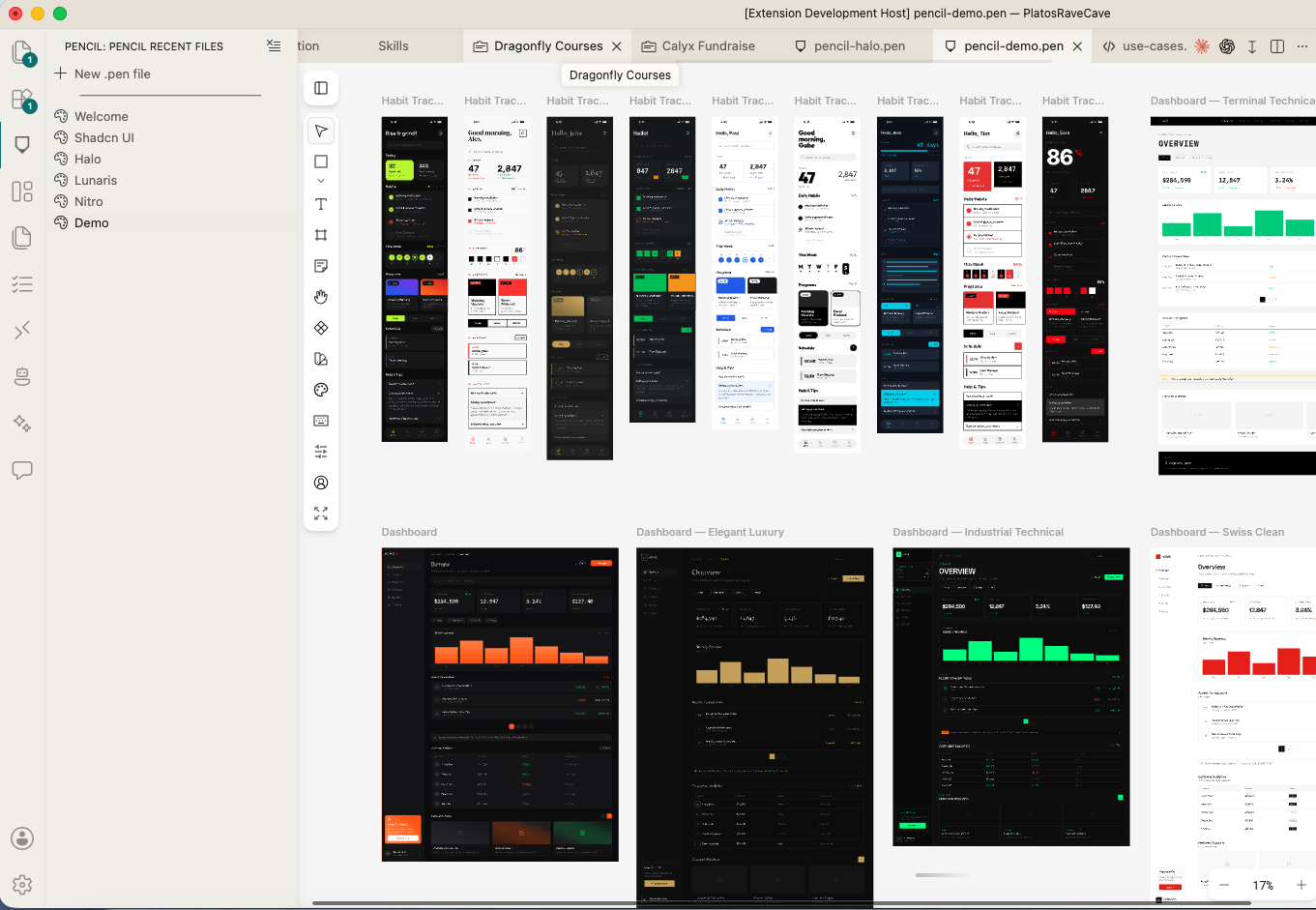
Pencil (pencil.dev), for example, is a full design tool running inside Calyx. A designer can mock up a screen right next to the feature folder it belongs to — the designs, the tasks, the code, and the docs all sitting in the same place. Everything stays in context, both for the team and for the AI that reads it.
Blocksmith
We have an app in mind that takes this idea further. Blocksmith turns a codebase into a living map of what's actually built — one that anyone, technical or not, can read. And it's genuinely living: background AI agents keep it up to date as the code changes, so no one maintains it by hand.
Today the plan lives in Jira or Linear, the architecture lives in a diagram that's six months out of date, and the real status lives in an engineer's head. These three drift apart, and the drift is invisible until it costs you a demo. Blocksmith pulls all three back into the code itself, where they can't quietly disagree.
It starts in the code
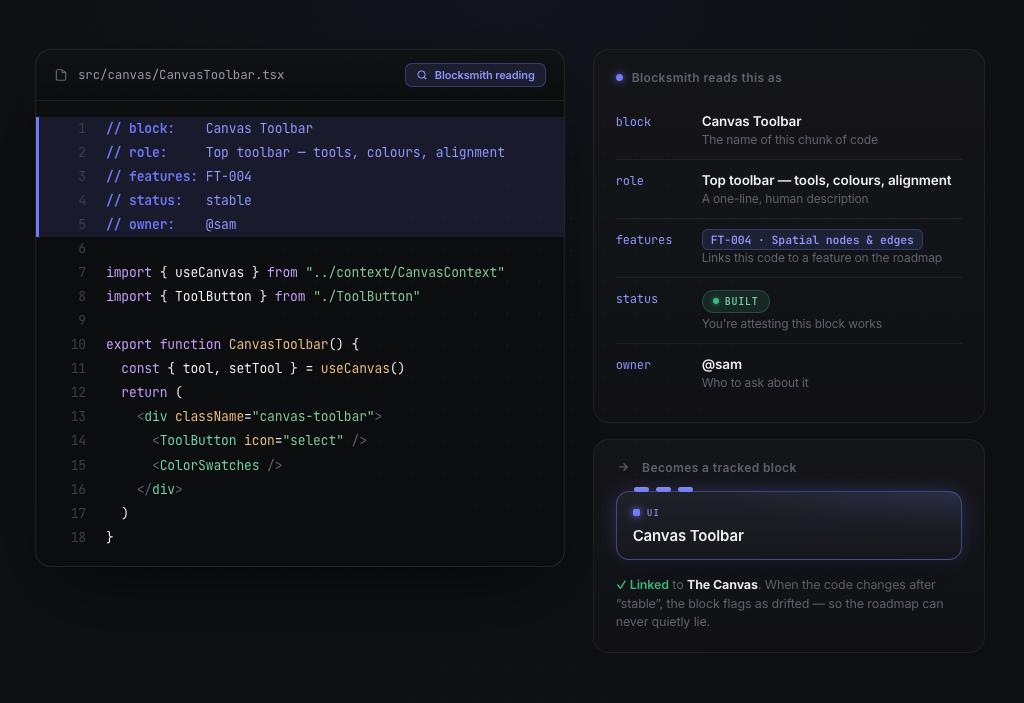
A few plain-English comments describe what a block of code is, what it does, and whether it's stable. Calyx reads them and turns that block into something it can track.
It builds a live overview
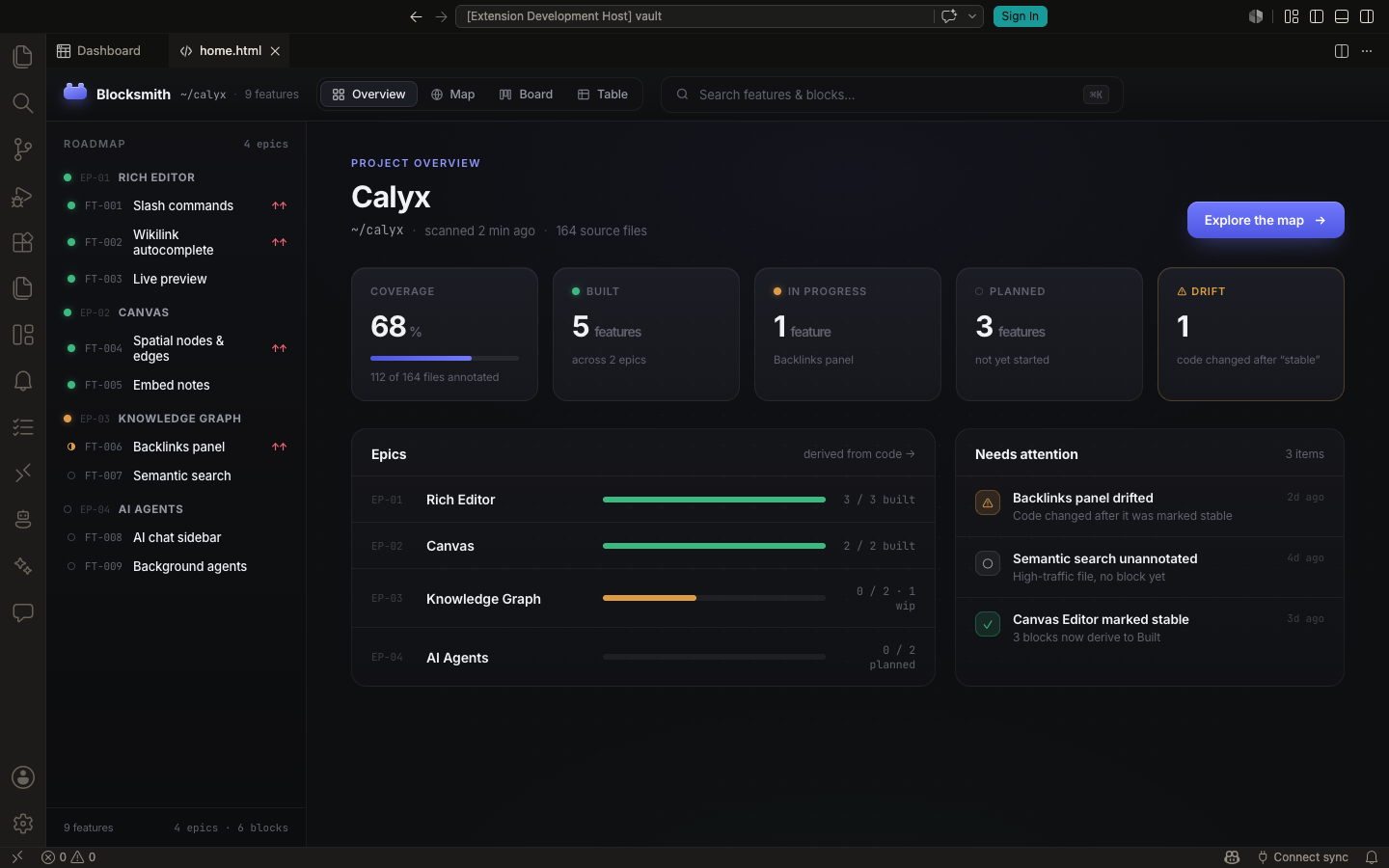
From those annotations, Blocksmith assembles a board of every feature and its status — derived from what the code actually says, not from a status someone typed into a ticket. When code changes after being marked stable, it flags the drift.
Zoom from the big picture down to the code
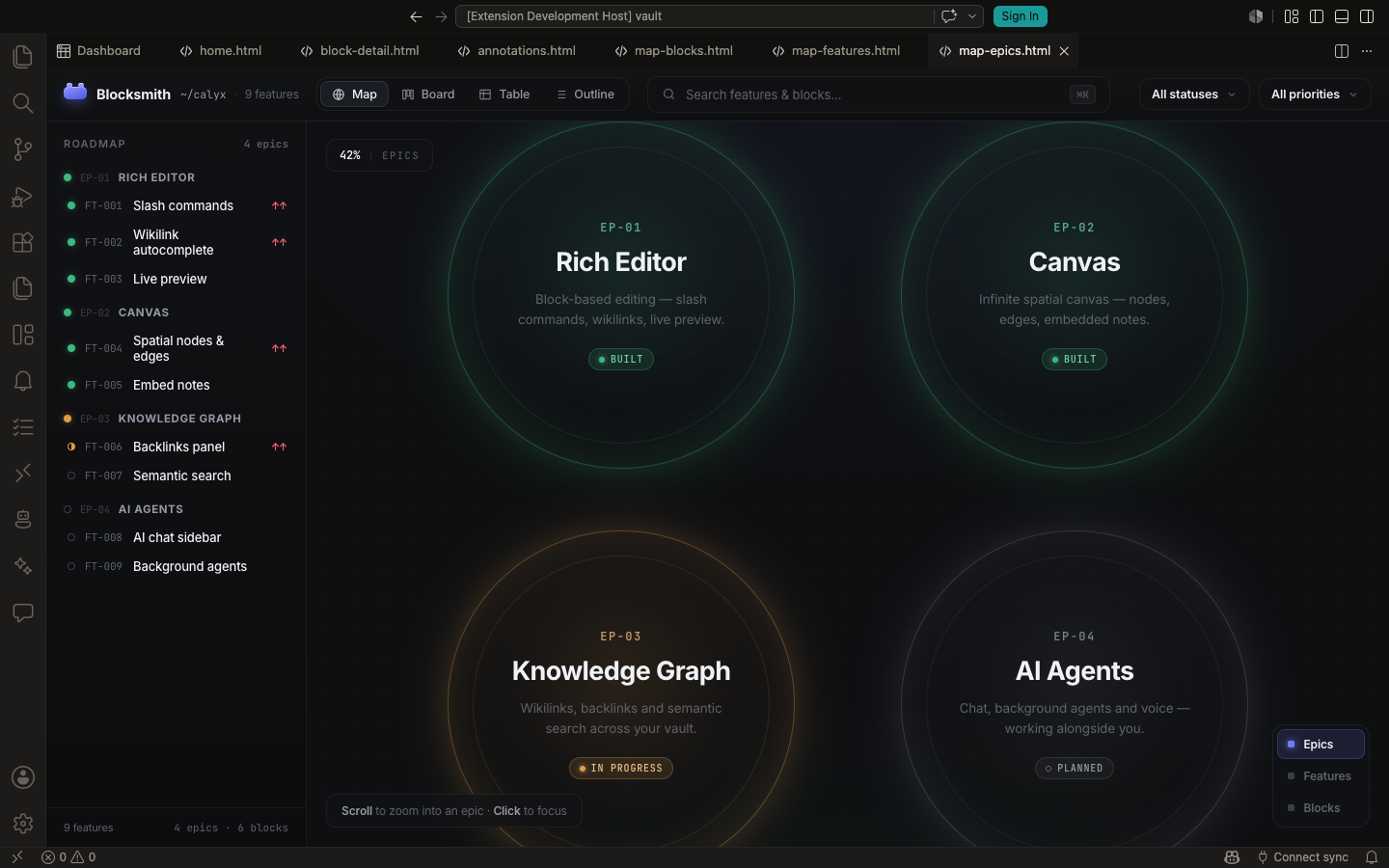
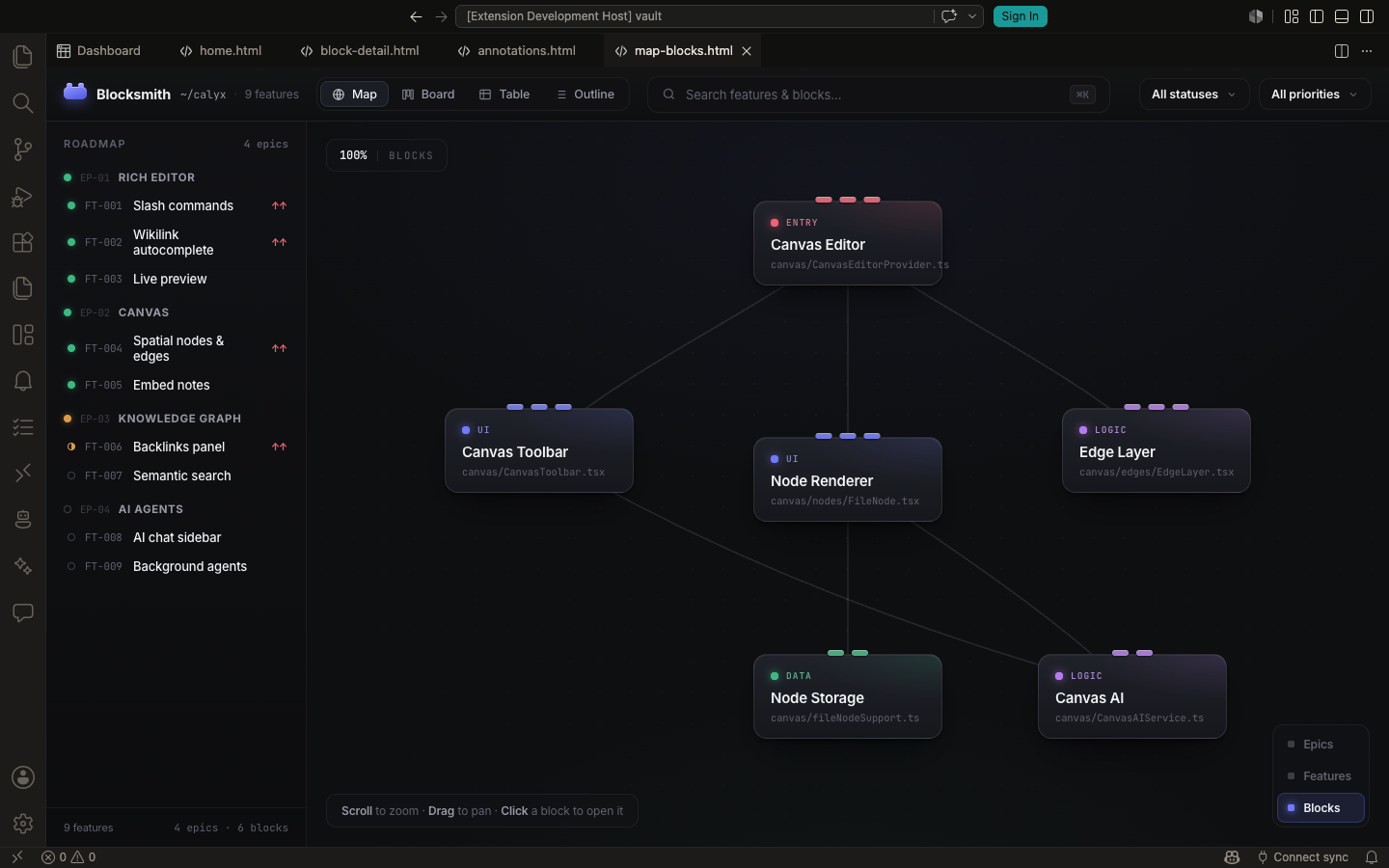
It's one map at different altitudes. Start at the epics — the whole product at a glance. Click into one and it opens into its features; click a feature and you're down among the individual blocks of code and how they connect. The architecture, drawn from the code itself rather than a stale diagram.
Read it both ways at once
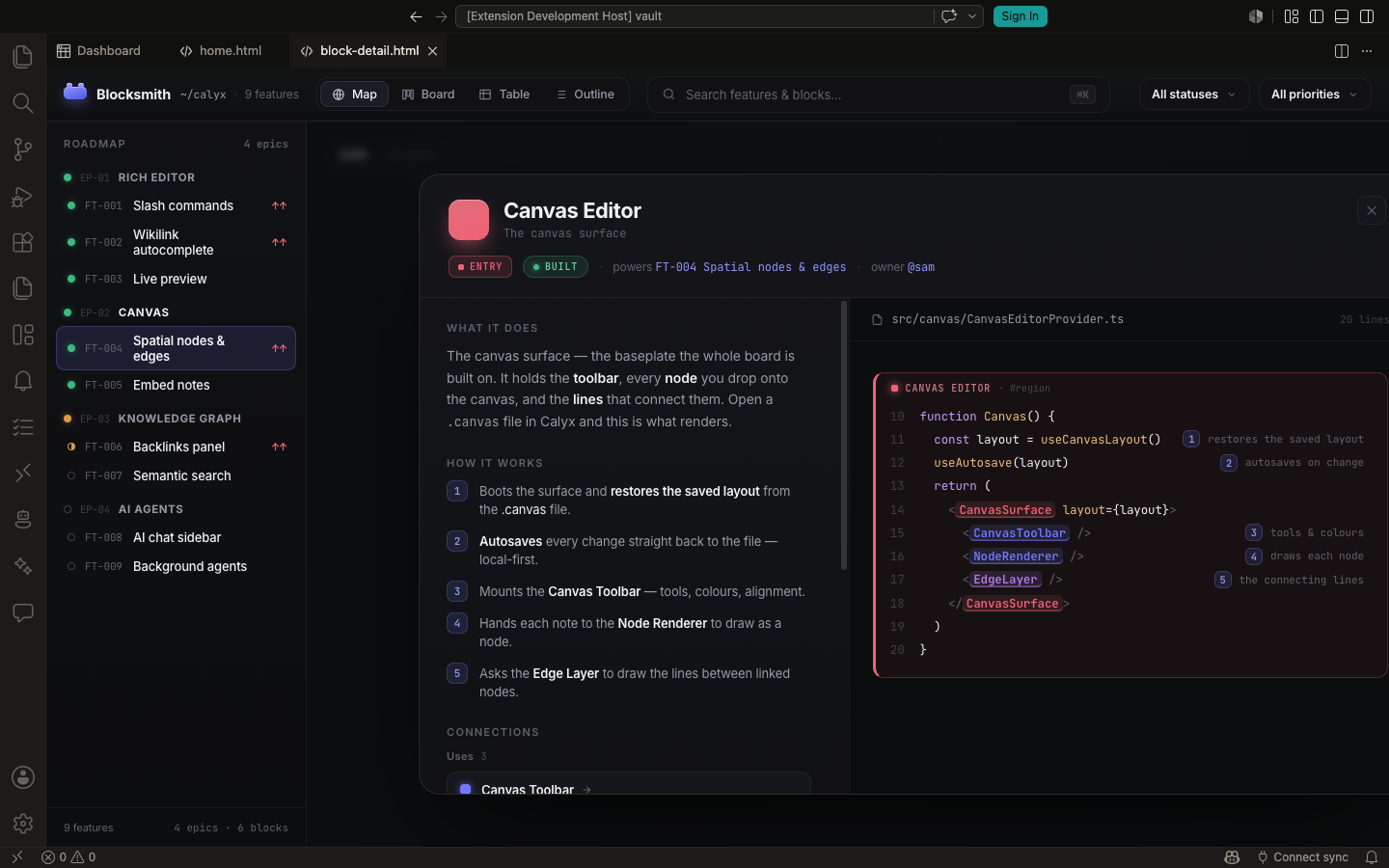
Open any block and you see it from both sides — a plain-English description on one side, the actual code on the other. Non-technical teammates read the left; engineers read the right; everyone's looking at the same thing.
And it keeps itself alive
You don't maintain any of this by hand. Background AI agents watch the repo — every edit, every commit — re-read what changed, and update the annotations, re-tag the blocks, and re-derive status automatically. The map isn't a snapshot someone has to remember to refresh; it's a living thing that stays honest with the code as it moves.
Truth with receipts
Status is derived from the code and time-stamped. When the code changes, drift is flagged — so "Done" can't quietly stop being true.
Readable by everyone
PMs and designers can understand the architecture and how things work without reading raw code — and spot when reality and the roadmap have parted ways.
Maintains itself
Background agents re-read the code on every change and keep annotations, tags, and status current — so the map stays alive instead of rotting like a wiki. No documentation tax.
It's a glimpse of where building software is heading: English as the abstraction layer everyone works in — with the code still there underneath when you need it, but no longer the only way to understand what your product actually does.